Rich message types
Customers send more than text: photos, videos, voice notes, locations, contact cards. The inbox renders these common formats just like the native app; anything not yet supported shows a small placeholder so you can open it on the native platform.
On this page1/3 · Images and voice notes
Do these first
This only works once you have finished the following:
- 1
The unified inbox: Rich messages are viewed inside the conversation thread in the inbox.
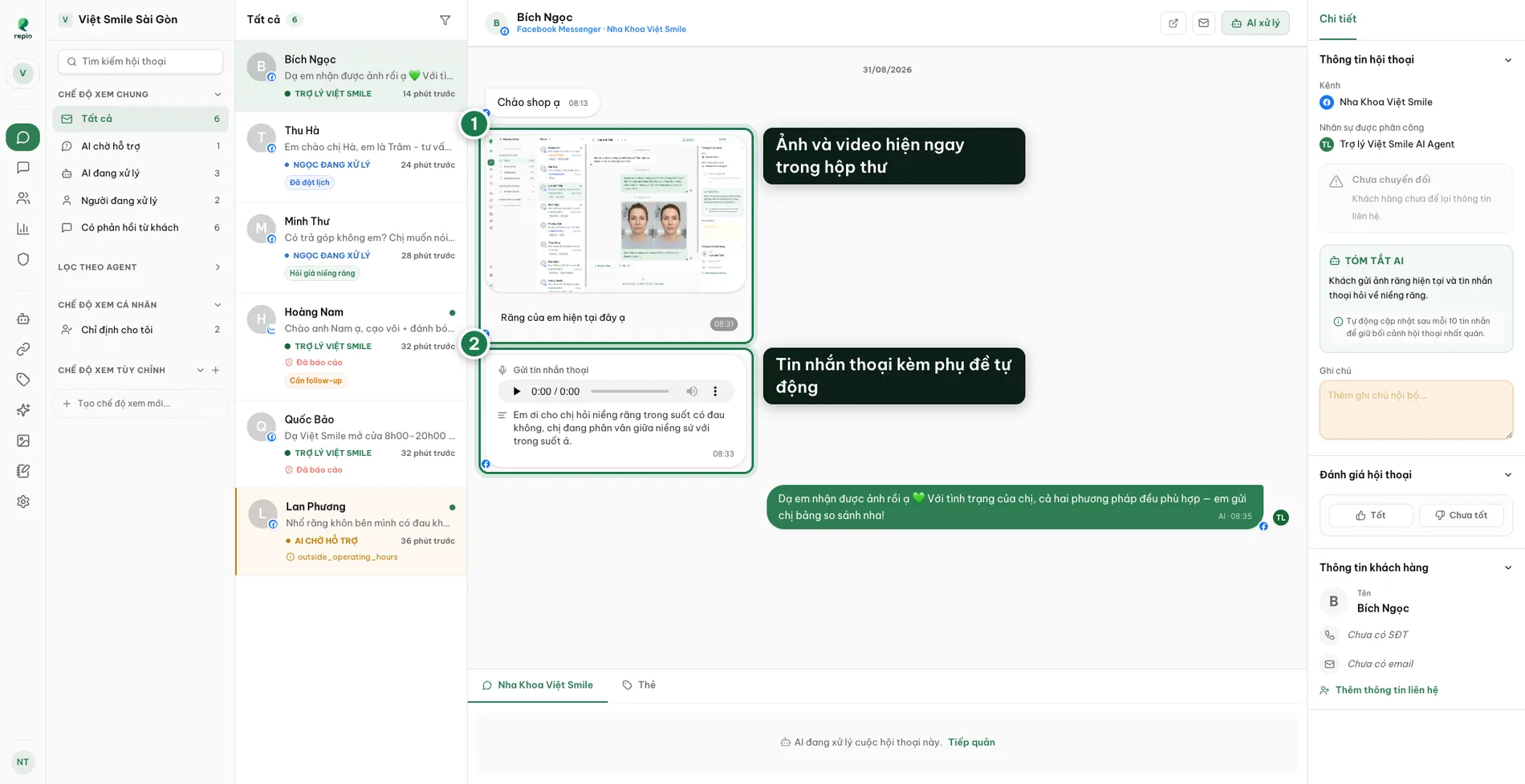
- Images and videos render inline in the thread. Videos show a still frame first and only load when clicked, so the inbox stays fast.
- Voice notes get an automatic transcript under the player, so you can skim them without headphones. Transcription runs in the background, so it may lag the message by a few seconds.
- Stickers, GIFs and file attachments.
- Shared locations, with a Google Maps link.
- Contact cards with a name and phone number.
- Links with preview cards.
If you need something Repio does not cover, every conversation links out, Open in Meta, Open in Zalo, Open in WhatsApp Manager: straight to that thread in the native tool. The link sits in the open conversation’s top bar, next to the mark-unread button, and also appears when you right-click a conversation in the list.