Operating hours & conversation summaries
The LLM settings tab holds the three things that decide when and at what pace your agent replies: its operating hours, how long it waits before answering, and how often it refreshes the conversation summary.
On this page1/4 · The two modes
Do these first
This only works once you have finished the following:
- 1
How AI Agents work: These settings live in each agent’s LLM settings tab, so the agent has to exist first.
First: what is an “LLM”?
- LLM
- Short for large language model: the AI engine that actually writes the replies. You do not need to understand how it works and you cannot pick which one is used; the tab name simply means “settings to do with the AI engine”. The three options inside it are all plain-language, with nothing technical about them.
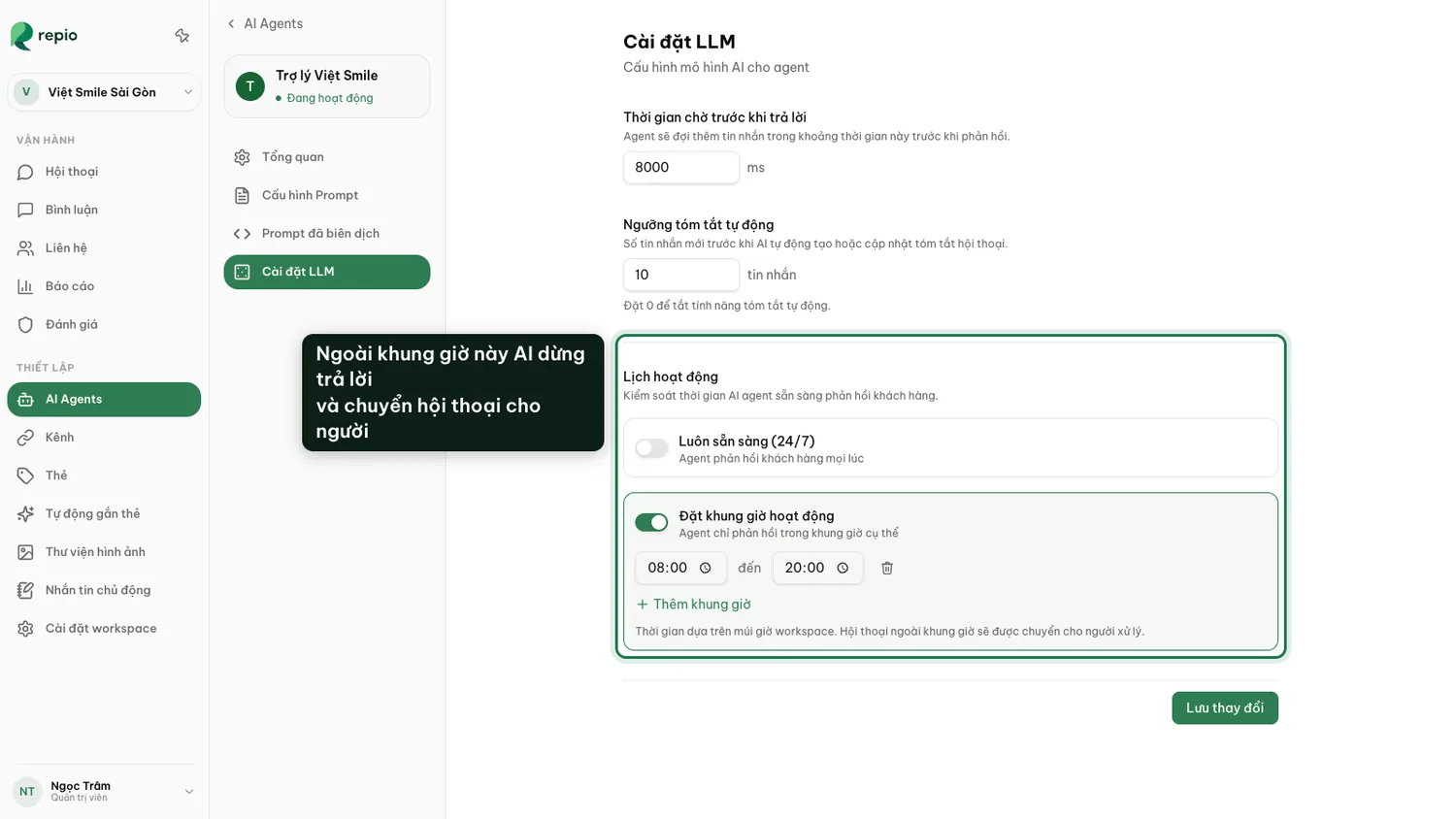
- Always on (24/7): the default, and the AI’s biggest advantage. A customer messaging at 2 a.m. still gets an answer.
- Set timeframes: the AI only replies inside the windows you define, e.g. your operating hours. Times follow the workspace timezone.
The same LLM settings tab has two options that shape how the AI replies:
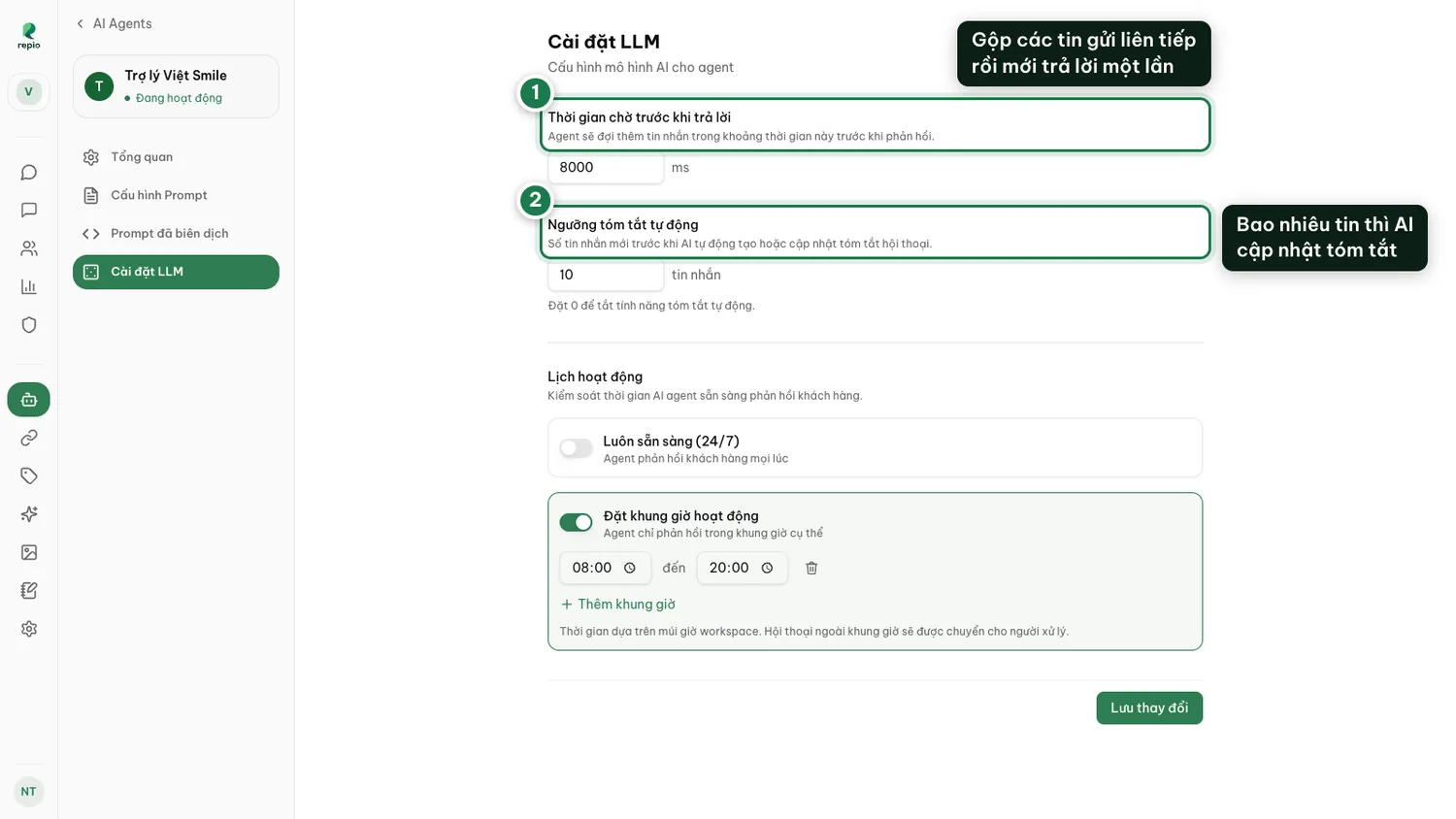
- Wait before replying: customers often send 3–4 short messages in a row. A short wait (say 8000 ms, about 8 seconds) lets the AI bundle them and answer once, instead of replying to each fragment.
- Auto-summary threshold: how many new messages before the AI refreshes the conversation summary (default 10). Set it to 0 to turn auto-summary off.
This is what the auto-summary threshold keeps up to date. A staff member inheriting a long thread reads this instead of scrolling back through a hundred messages.
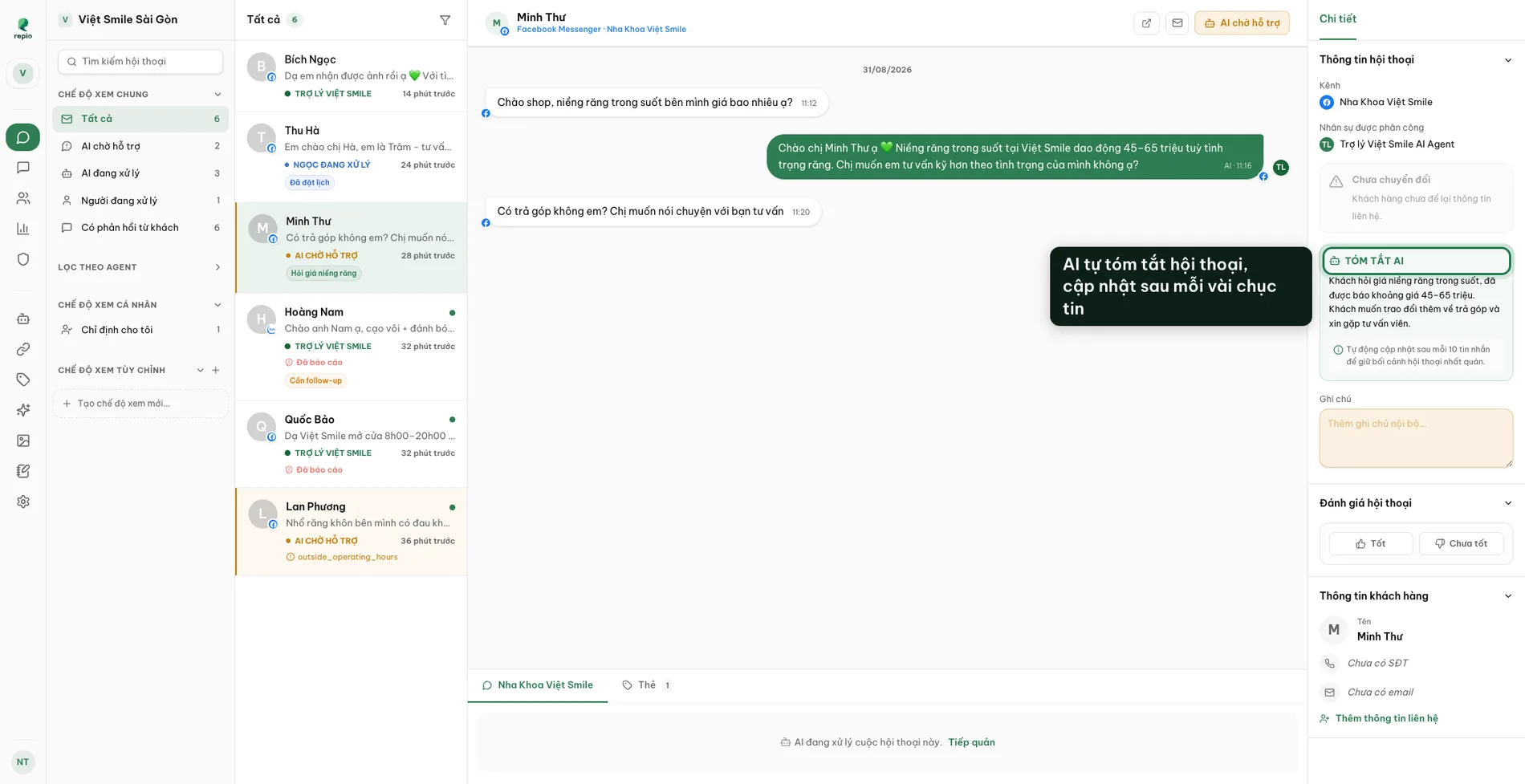
The AI stops replying. New messages route straight to staff with the reason “outside operating hours”.
The conversation waits in the queue and still sends a push alert, like any other handoff.
Tip: A better combination: leave the AI on 24/7 but tighten its handoff conditions. Overnight it still answers and collects phone numbers; the morning shift only opens the conversations it flagged for a human.