The conversation details panel
The right-hand column holds everything you need to know about that customer: a summary, your colleagues’ notes, tags, and the conversion status.
On this page1/2 · The four things you use daily
Do these first
This only works once you have finished the following:
- 1
The unified inbox: The details panel is the inbox’s right-hand column.
Key terms
- Conversion
- The conversation reached the result you wanted: a phone number left, an appointment booked, or whatever goal you set for the agent.
- Internal note
- A message between staff, attached to the conversation. Customers never see it.
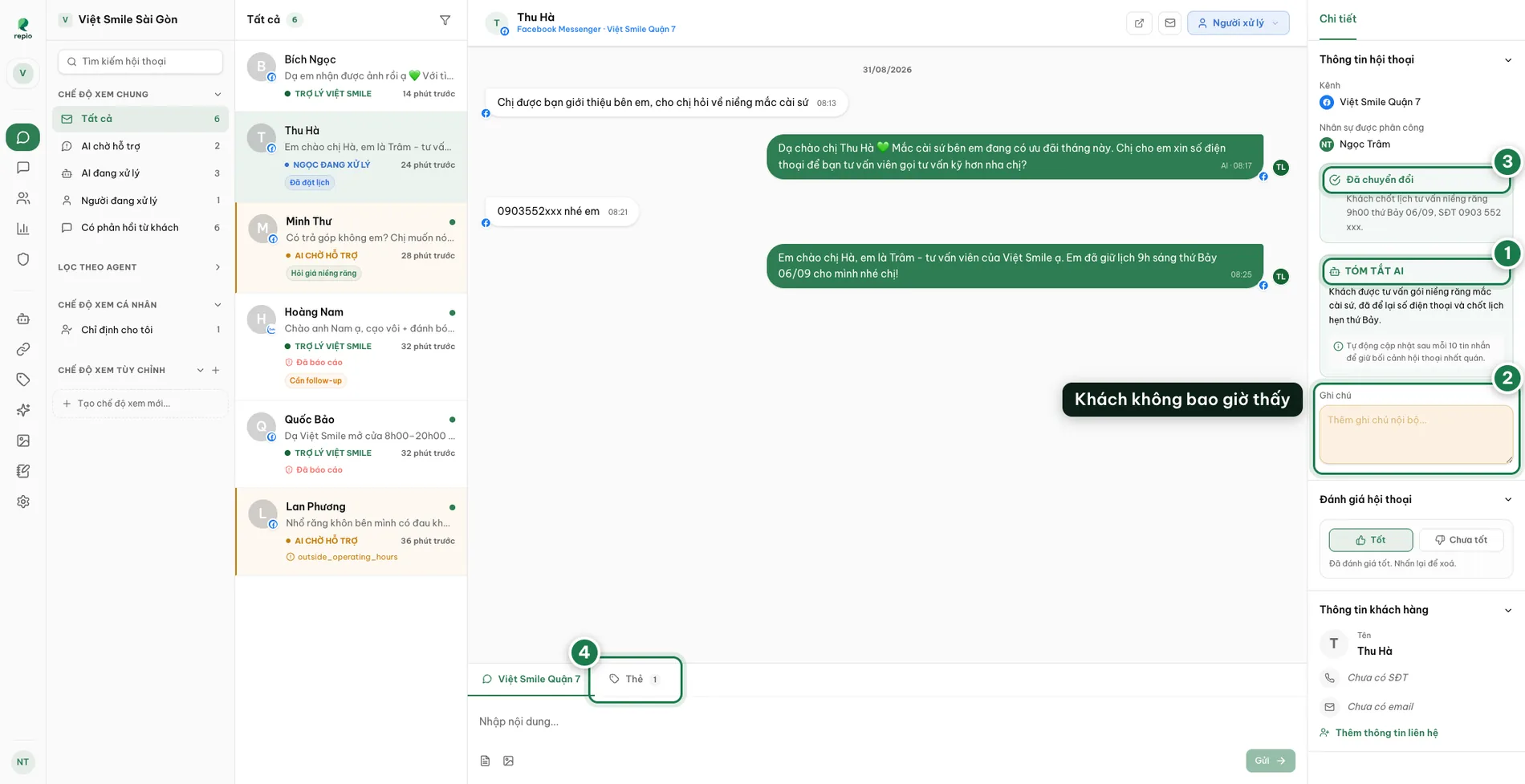
Read the AI summary (1)
Written by the AI and refreshed roughly every 10 new messages. Inheriting a long thread, reading this beats scrolling back through a hundred messages.
Leave internal notes (2)
Where you write to your colleagues. Notes save themselves as soon as you click out of the field.
Track conversion status (3)
Converted with a summary of the result, or Not Converted with the line “Customer has not provided contact information.” The figure feeds straight into Reports. It is read-only: the AI marks the conversion itself when it judges the goal you set in the Tasks block has been met, staff cannot set or clear it by hand.
Manage conversation tags (4)
Apply or remove tags. Combined with the inbox tag filter, this is how a team keeps hundreds of daily conversations in order.
Tip: The panel also shows who currently owns the conversation, which staff member, or which AI Agent, with a link to that agent’s settings.
You can edit the customer’s phone and email right here.
Those details belong to the contact, not to the conversation. Next time that person writes on the same channel your team still has them, even in a brand-new conversation.