Teaching the agent your business
The Prompt Config tab is where you teach the agent. No technical skill needed: you fill in ready-made blocks, each answering one question about your business.
On this page1/6 · The foundation: business, role, welcome
Do these first
This only works once you have finished the following:
- 1
How AI Agents work: You need an agent to exist before there is anything to configure.
Key terms
- Prompt
- Everything you have taught the agent, as text. Repio assembles the blocks you fill in into one complete prompt for the AI.
- Block
- A group of fields in the Prompt Config tab, such as Tasks or Rules. Every item inside a block has its own on/off switch.
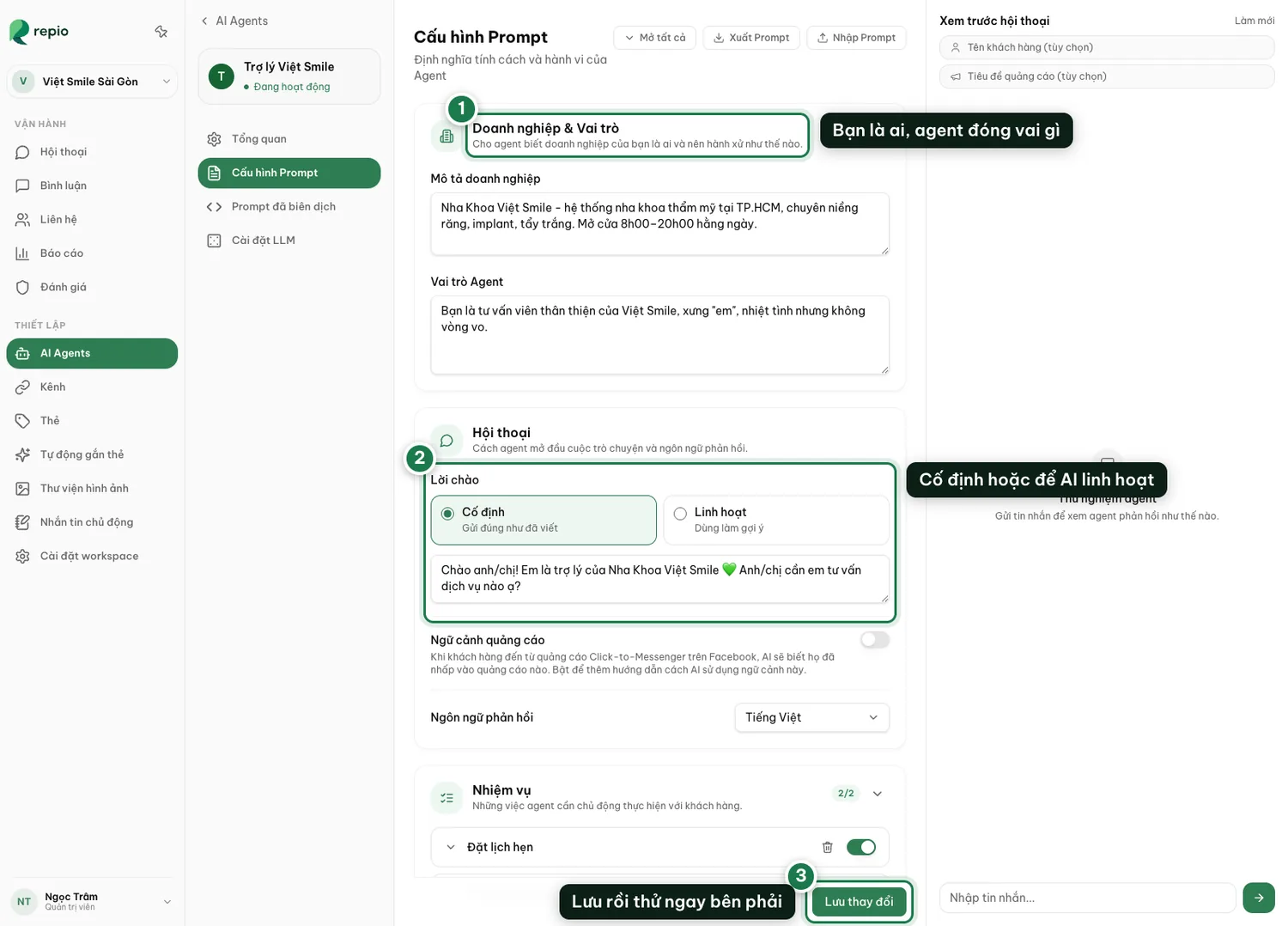
The Business & Role block
Describe what you sell, where, and your opening hours; then how the agent should address people and behave. The more specific, the less generic the answers.
The Welcome message block
Pick Fixed to send exactly what you wrote, or Dynamic to let the AI adapt.
Click Save changes.
Then try it right away in the Preview Conversation panel on the right. That panel is the sandbox, see Test-driving your agent.
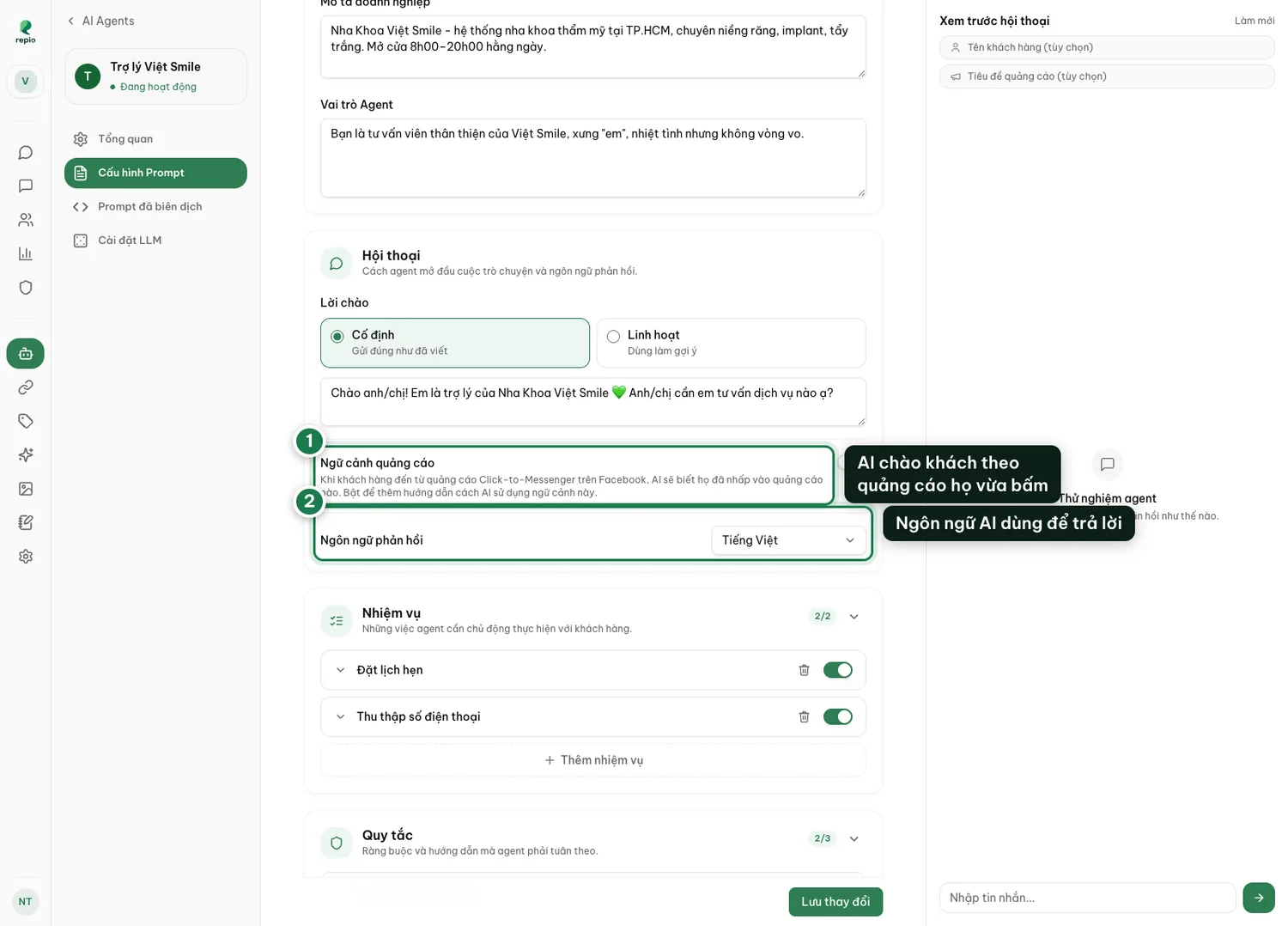
Ad context
Only relevant if you run click-to-Messenger ads on Facebook. Turned on, the AI knows which ad the customer clicked and greets them accordingly instead of generically.
Response language
Sets the language the AI replies in. Left at the default, it answers in whatever language the customer writes.
These three blocks decide what the agent does and how. The presets all come pre-written for you to adapt to your business, but every one of them is off by default: switch on the ones you want. The two FAQ presets are the exception: the question is pre-written, the answer is left blank for you.
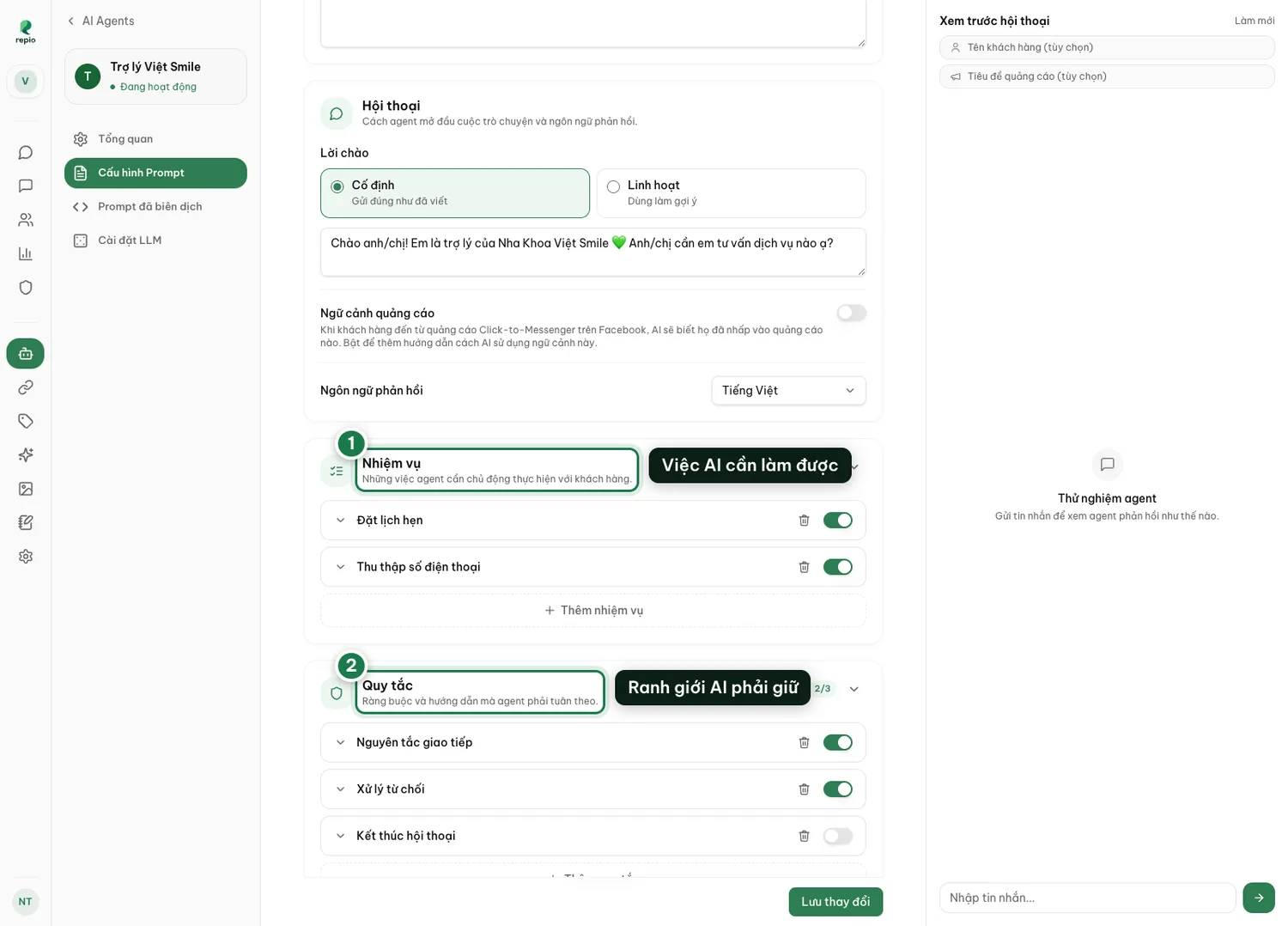
- Tasks: what you want the agent to achieve in a conversation. Two presets ship with it: booking an appointment and collecting a phone number. You can add your own.
- Rules: how the agent may behave. Presets cover communication style, objection handling and closing the conversation.
- FAQs: question and answer pairs. Presets cover location/hours/contact and services/pricing.
Tip: Every item has its own toggle. To try life without a rule, switch it off rather than deleting it: the text is kept so you can switch it back on.
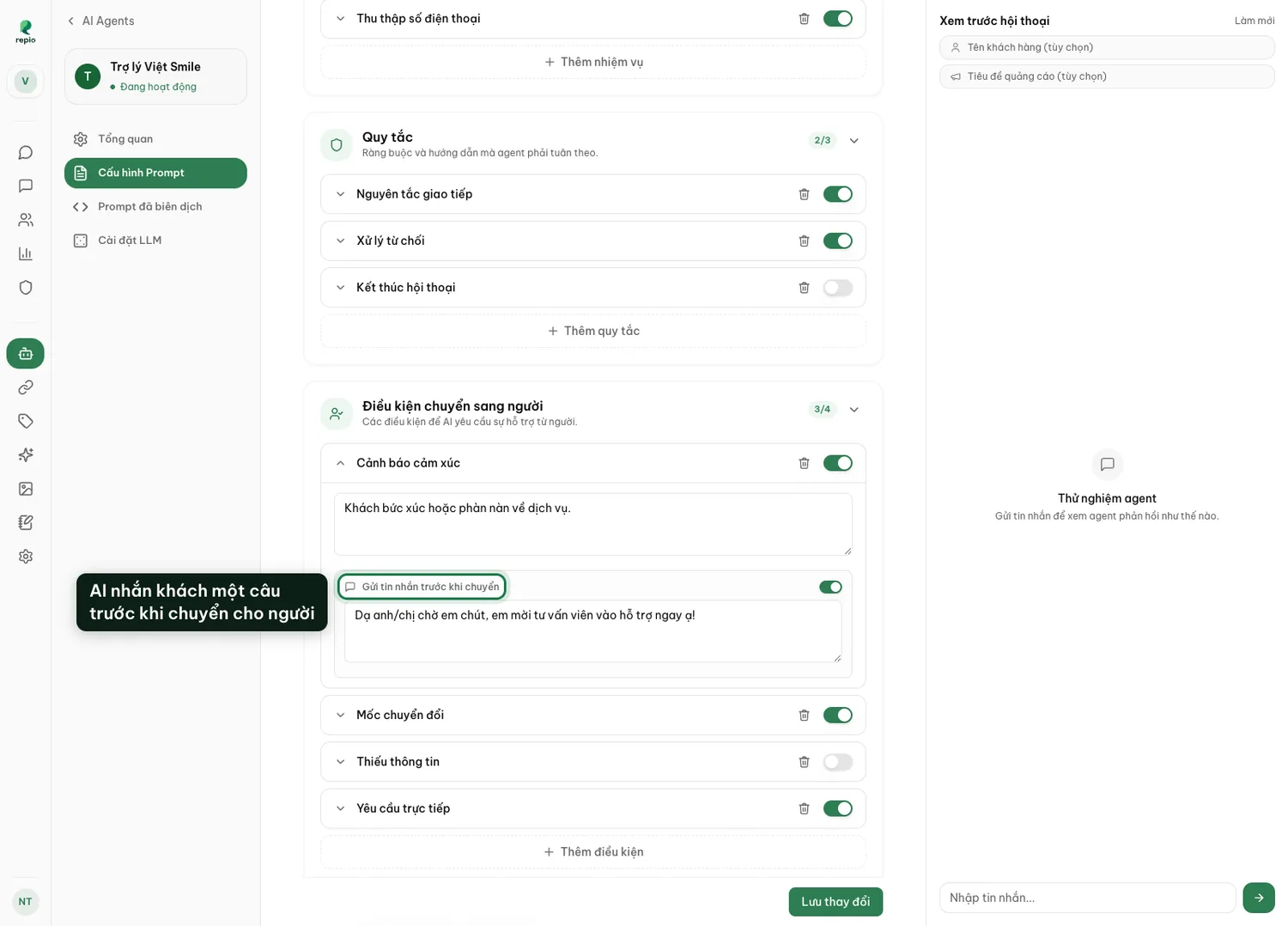
This block decides when the AI stops and calls in a person. Four situations ship with it, each pre-written but off by default: every condition has its own switch, so turn on the ones you want:
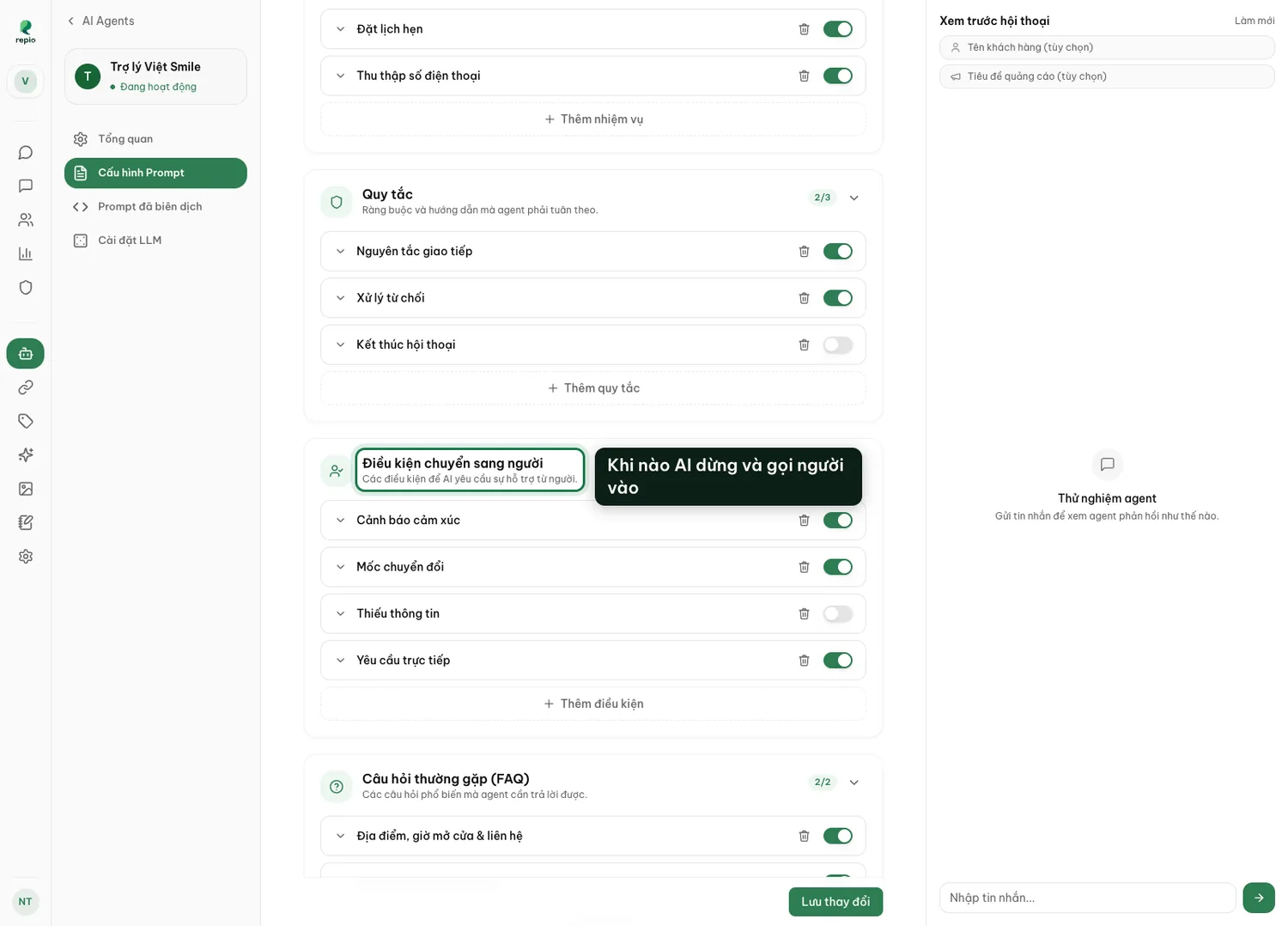
- Sentiment alert: the customer is upset or complaining.
- Conversion milestone: they just left their details. This is the moment for a person to close.
- Knowledge gap: they asked something you never taught. Handing off beats letting the AI guess.
- Direct request: the customer asks for a human.
“The more specific the better” is correct advice and useless when you are staring at an empty box. Below is one imaginary dental clinic, Việt Smile Dental, District 1, filled in block by block, so you can see what “specific enough” actually looks like.
Read it for the level of detail and the tone, then substitute your own facts. Copying it verbatim produces an agent that talks about a clinic that does not exist.
The Business & Role block
“Việt Smile Dental is a cosmetic dental clinic at 25 Nguyễn Huệ, District 1, Ho Chi Minh City. Open 8am–8pm Monday to Saturday, and 8am–12pm on Sunday. Core services: clear aligners, dental implants, teeth whitening, porcelain crowns. Four dentists, two of them implant specialists with over ten years’ experience.
You are the clinic’s consultant. Be warm and brief, avoid technical vocabulary unless the customer raises it first, and keep answers to three sentences unless they asked for a full price list.”
Note: An address, opening hours, a closed list of services, and a rule about answer length. Those four things head off most generic replies.
The Welcome message block (set to Fixed)
“Hi! I’m a consultant at Việt Smile Dental. Which treatment were you looking into, so I can give you the right details?”
Structure: One greeting, one open question. The open question matters more than the greeting: it is what makes people reply instead of reading and leaving.
One FAQ pair
Q: “How much do clear aligners cost?”
A: “Clear aligners at Việt Smile run from 45 to 85 million VND depending on how much movement is needed. The most common package is 60 million, with 0% instalments over 12 months. The exact figure needs an exam and an X-ray, and that first exam and X-ray are free.”
Why this works: It has three layers: real numbers, a payment option, and a legitimate reason to come in. Write only “price depends on your teeth, please visit us” and the AI will say exactly that, and the customer will go and ask somewhere else.
One Rules entry: the anti-hallucination rule
“Only state facts present in the Business and FAQ sections above. If the customer asks about a service, a price, a promotion or a specific appointment slot you do not have information on, never guess and never hedge with ‘around’ or ‘typically’. Answer: ‘Let me check that with the dentist so I give you the right answer’ and hand the conversation to a person.”
Key takeaway: This is the single entry worth writing most carefully. One invented price costs you a customer and your credibility faster than any other failure. Test exactly this case in Preview Conversation before you publish.
One Tasks entry
“Once the customer’s main question is answered, invite them to book a free exam and ask for a phone number so the clinic can confirm. Ask for the number at most twice in one conversation; if they decline a second time, drop it.”
Key takeaway: That last sentence is the one people forget. Without it the AI keeps asking for a phone number until the customer gets annoyed and leaves.
Tip: The fastest way to start from nothing: open your last ten real conversations, and copy out the questions customers actually ask along with the best answers your best staff member wrote. That is your FAQ block, and it will beat anything you invent from scratch.
Each handoff condition can carry a line the AI sends the customer right before it goes silent, so nobody is dropped mid-conversation. They know a person is about to step in.
For Sentiment alert: “One moment. I’m bringing a consultant in for you.” For Conversion milestone it is often unnecessary, since that is a smooth handoff.