Importing older messages
Just moved to Repio? You can pull your page’s recent Messenger conversations into the inbox, so your team keeps the context with existing customers.
On this page1/2 · Running a sync
Do these first
This only works once you have finished the following:
- 1
Connecting Facebook Pages: You can only import history for a Facebook Messenger channel that is already connected.
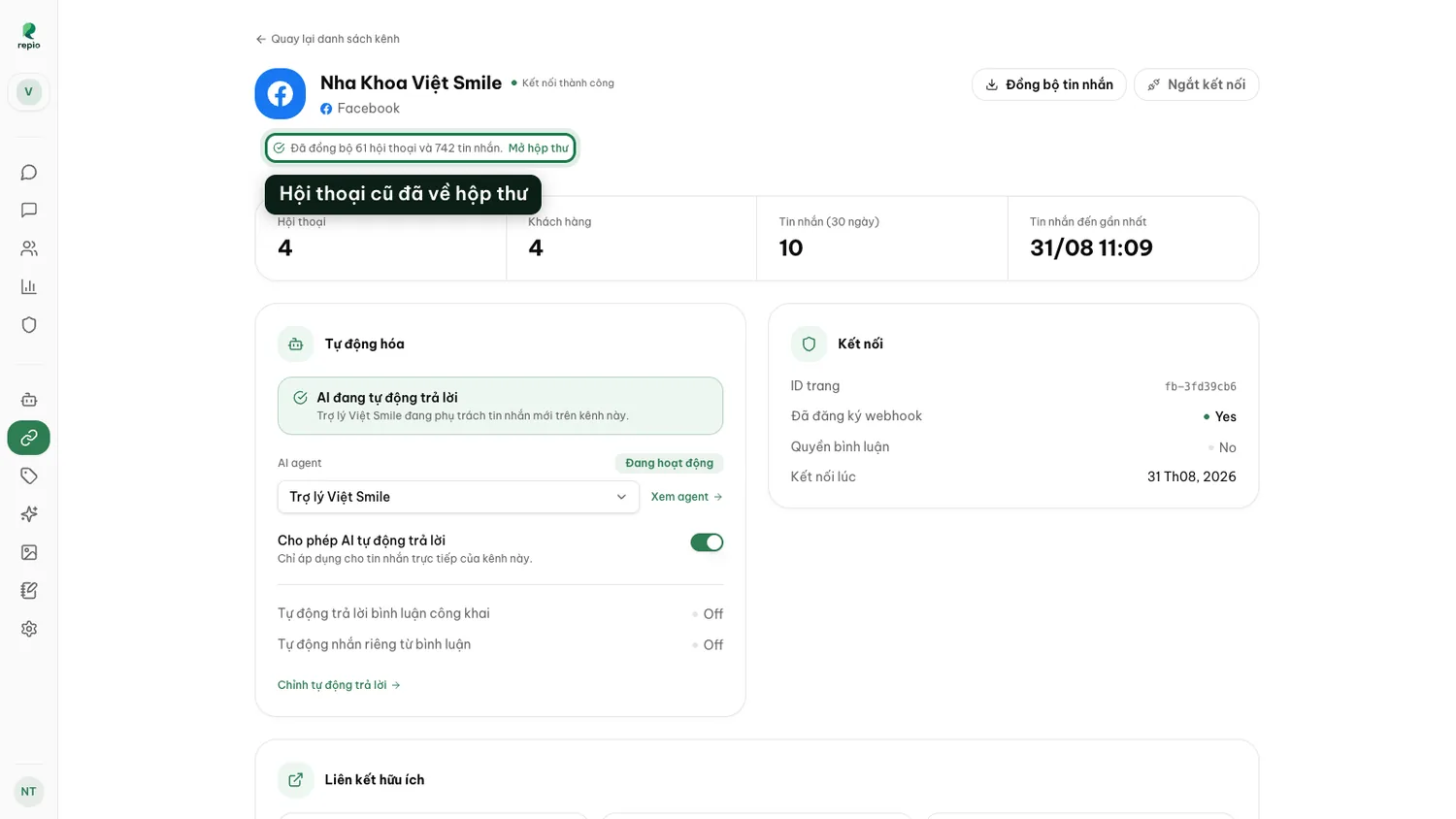
Open the Facebook Messenger channel’s detail page and click “Sync messages”.
Located in the top right of the channel detail page.
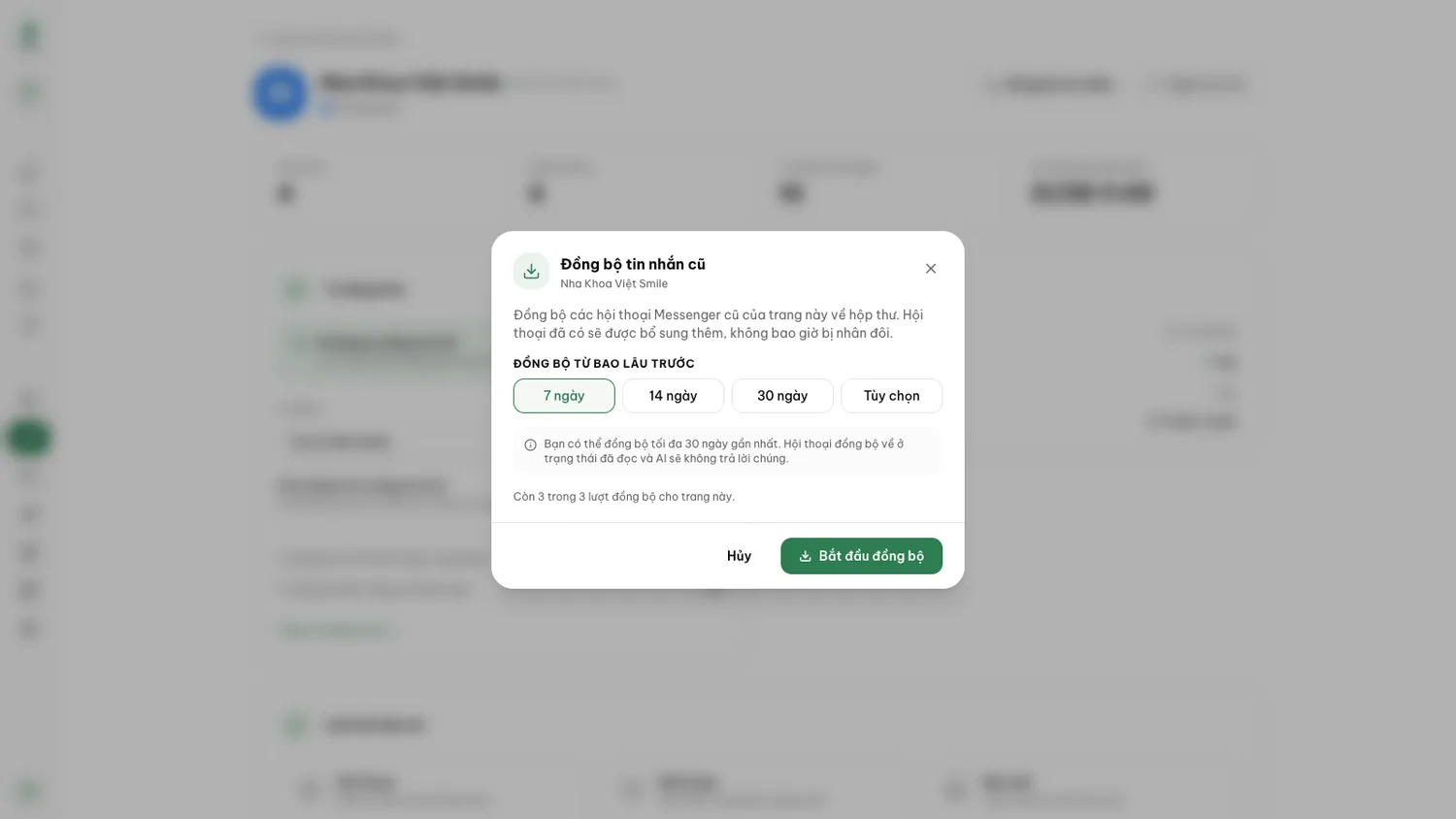
Tip: Overlapping runs create no duplicates: Repio recognizes each message by its Facebook id, skips what it already has, and merges imported threads into the customer’s existing conversation. Syncing 7 days first and 30 days later is perfectly safe.
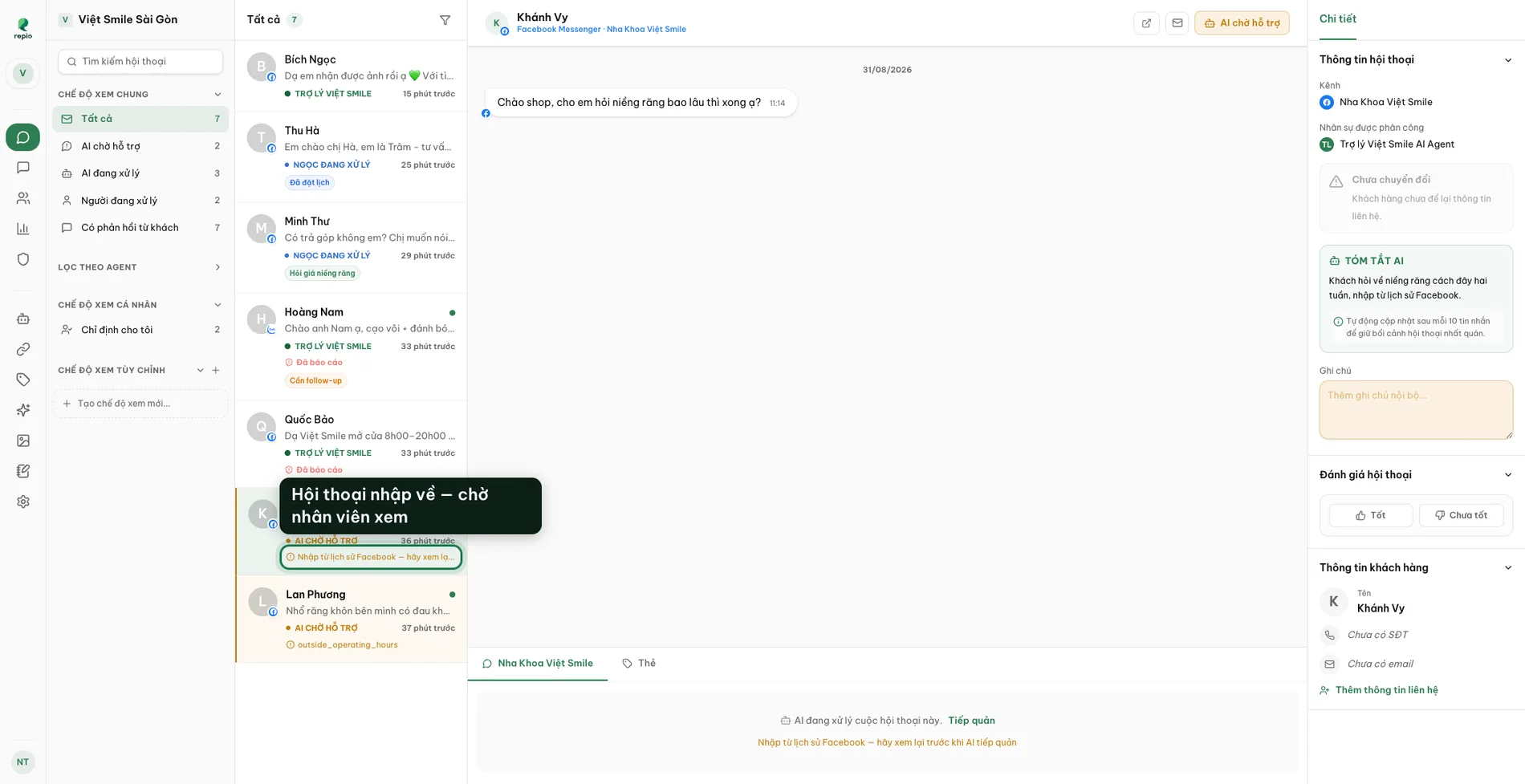
Imported conversations arrive read and with the AI silent: they sit there for a staff member to review and pick up, tagged “Imported from Facebook history, review before the AI takes over”.
The AI never jumps in on its own. Staff read the context, then hand a conversation to the AI deliberately when it makes sense.
Note: Each channel gets up to 3 self-serve runs, each reaching back 30 days. If you need a deeper backfill: the page’s whole history, email hello@repio.io with the page name and the date range you need, and the Repio team runs it for you.