Connecting a Zalo OA
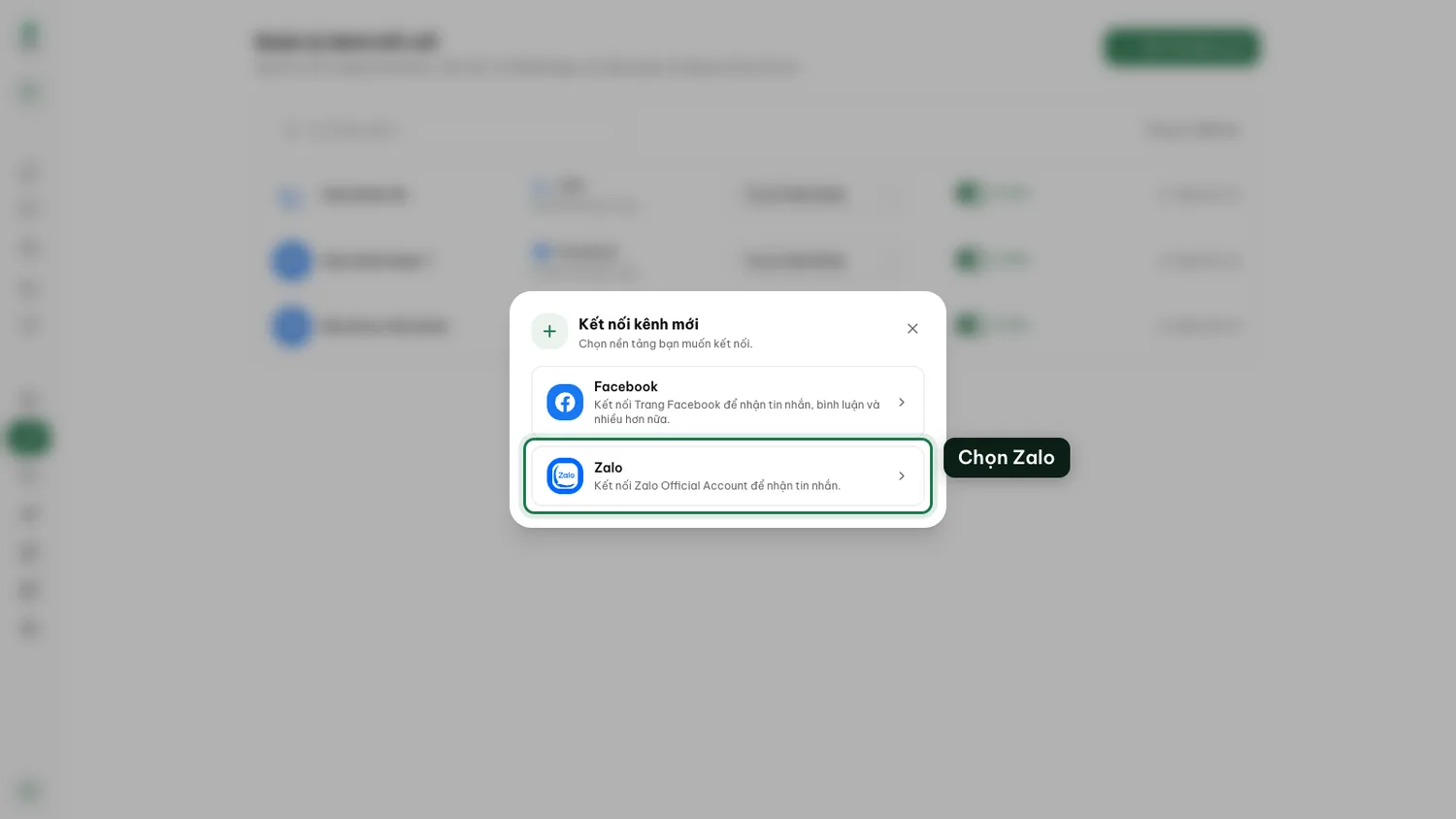
Zalo is the everyday care channel in Vietnam. Connect your Official Account and the AI covers it just like your pages.
On this page1/3 · Before you connect
Do these first
This only works once you have finished the following:
- 1
Managing your channels: You start from the Channels page, and return there to assign an agent afterwards.
Key terms
- Messaging window
- The period after a customer’s last message during which the platform still lets you write freely. Once it closes, the platform rejects anything you send until the customer writes again. Each platform sets its own rule; Repio applies them for you and states the reason when a send fails.
You need a Zalo Official Account that Zalo has approved, and your Zalo account must administer it.
No OA yet? Create and verify one at oa.zalo.me first, then come back to Repio.
Note: Budget time for that approval. Zalo asks for business paperwork (registration certificate, legal representative details) and reviews it over several working days. That is Zalo’s process and Repio cannot speed it up. If you are planning a rollout, file the OA paperwork first and set up the rest of Repio while you wait.
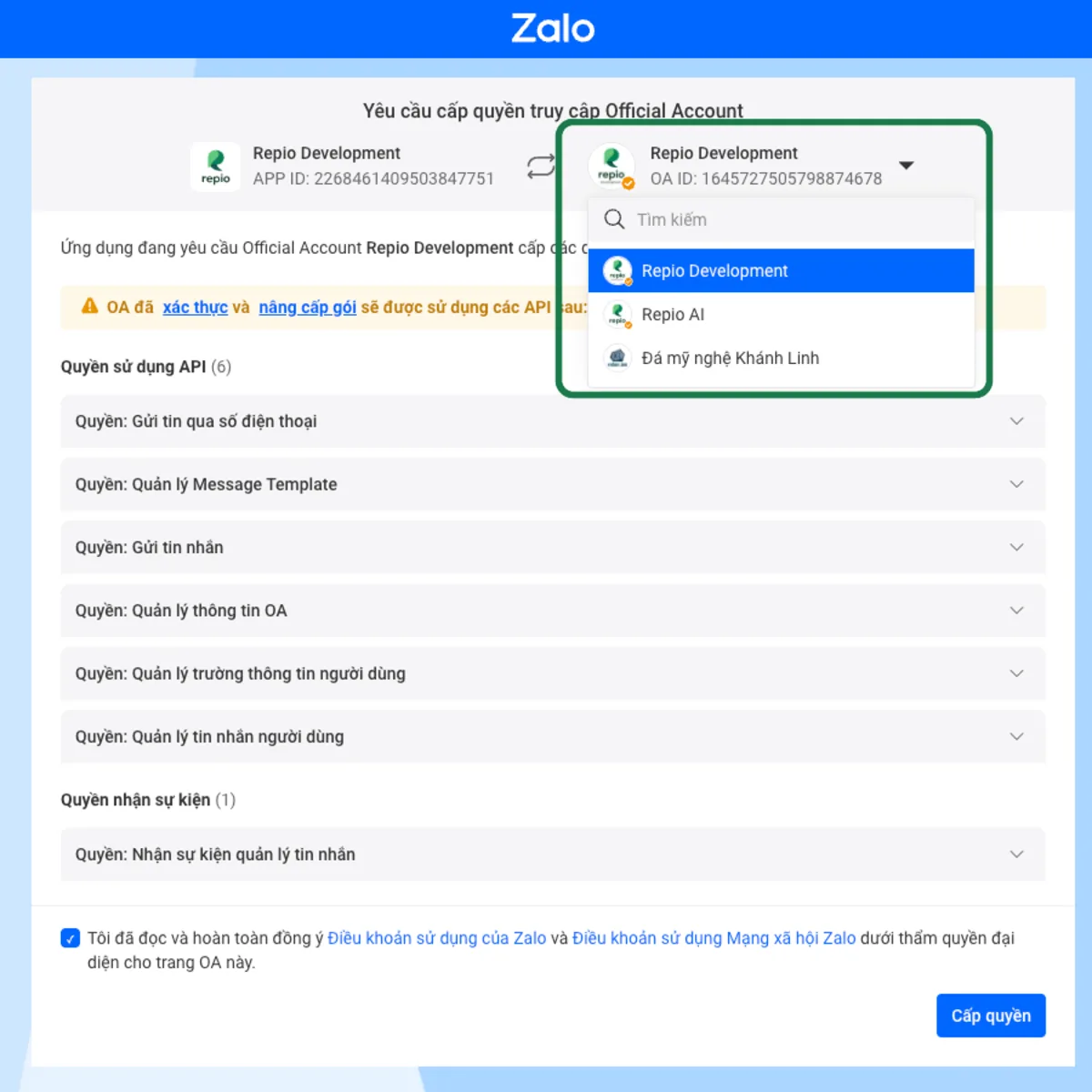
Tick the terms checkbox, then click “Grant”.
Tick the terms checkbox, then click “Grant”.
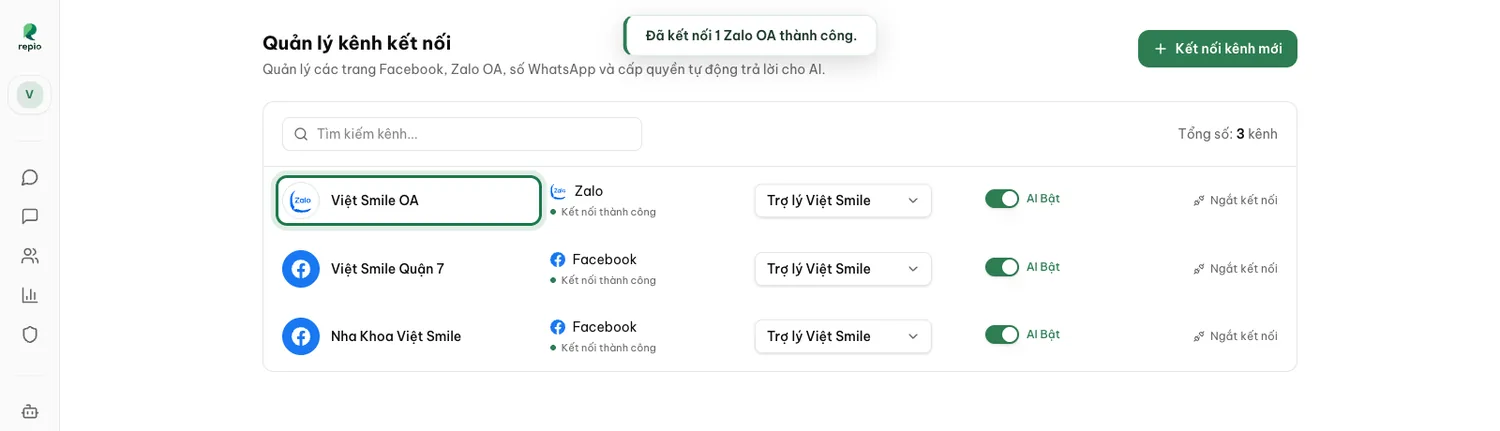
Tip: Repio renews the Zalo session in the background, so normally there is nothing for you to do. Renewal only breaks when access is revoked on Zalo’s side, the OA changes admins, or the channel sits interrupted for around 3 months: the channel then shows “Disconnected”: click Reconnect on its row and run the connect flow again; your history stays.
Note: If Repio says “This Zalo OA is already connected in another workspace or organization. Disconnect it there first, then connect it here.”, that OA belongs somewhere else. Each OA lives in exactly one workspace. Go to that workspace, disconnect it, and try again. If instead you see “This Zalo OA is already connected.”, it is already in this very workspace and there is nothing more to do.
Zalo has its own messaging window policy and media limits, different from Facebook’s. On Zalo the window is 48 hours from the customer’s last message: within it you and the AI write freely, after it nothing sends until the customer writes again, which reopens the window in full.
Repio applies them for you: formats Zalo will not accept are hidden from the media picker, and out-of-window sends state the reason under the message instead of failing silently.
The day-to-day consequence: do not let a Zalo conversation go cold for too long. While the customer is still writing you can reply freely; once the window closes you have to wait for them to write first.