Which ad did this customer come from?
If you run click-to-Messenger ads on Facebook, Repio records exactly which ad the customer clicked before writing to you. No more guessing which campaign brought them.
On this page1/2 · The referral banner
Do these first
This only works once you have finished the following:
- 1
Connecting Facebook Pages: Ad data only exists for connected Facebook Pages that are running click-to-message ads.
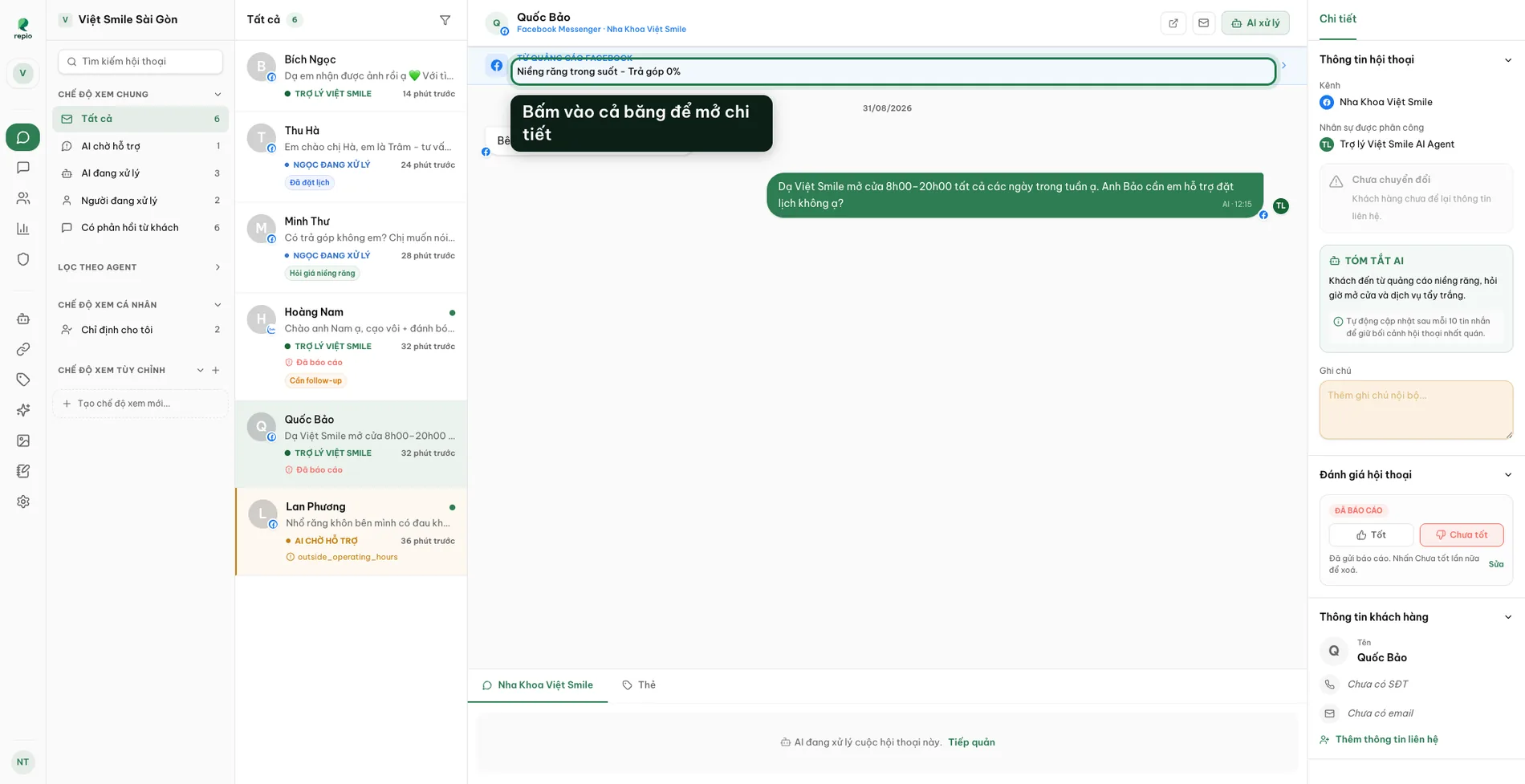
When a customer arrives through an ad, a banner appears at the top of the conversation. Click anywhere on the banner to open the details drawer.
The drawer shows the ad creative, its title, the ad ID, the source post, and the ref parameter if one was set.
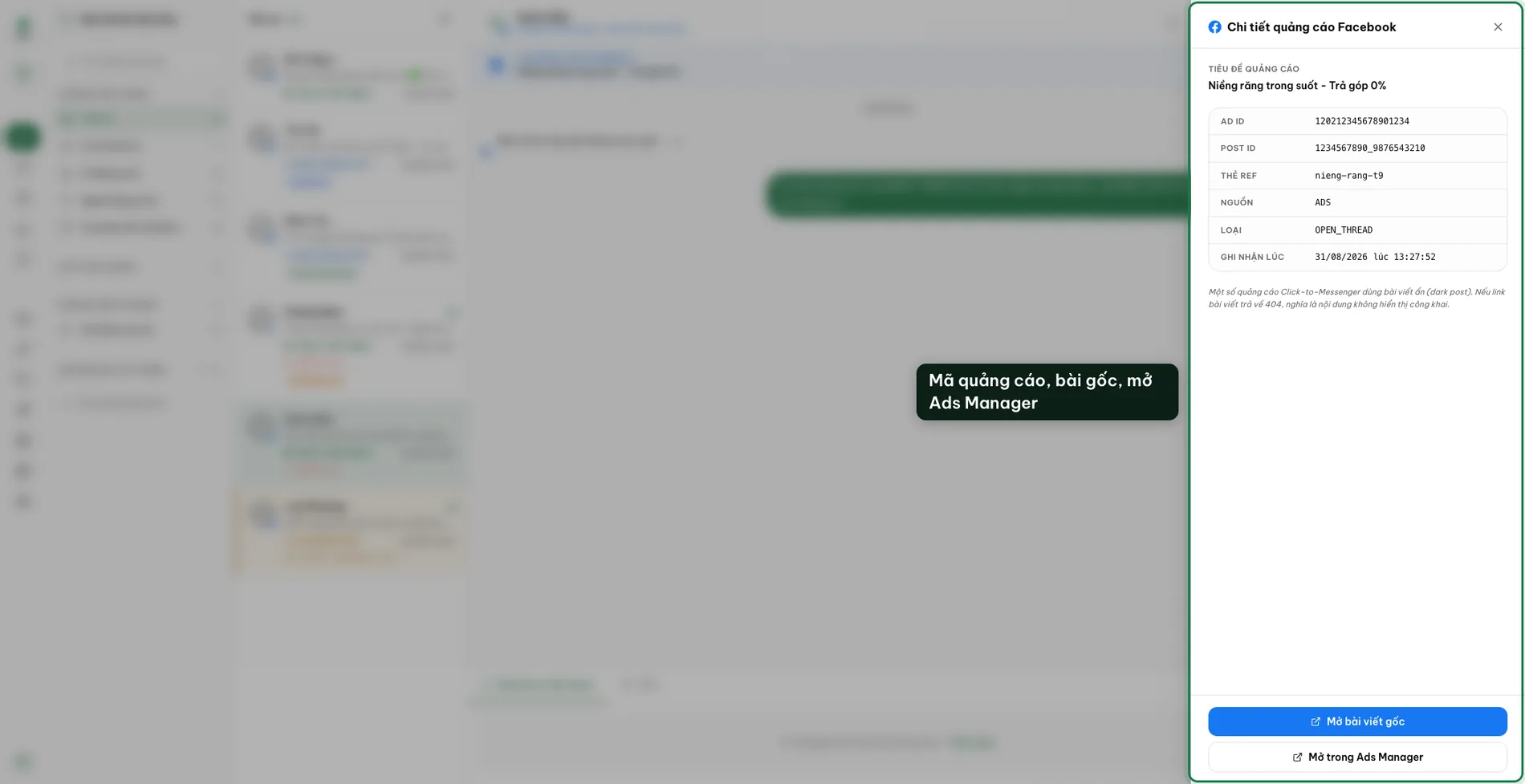
- Open the original post shows what the customer just read, so you continue the thread instead of starting over.
- Open in Ads Manager jumps straight to that ad so you can cross-check spend.
- Turn on Ad Context in the agent’s prompt config so the AI greets people in line with the ad they clicked.
Tip: Tag conversations per campaign, then filter reports by that tag. You can then measure conversions per campaign.
Good to know: If the original post returns 404, the ad was likely created as a dark post directly in Ads Manager rather than as a public page post.