Finding your way around
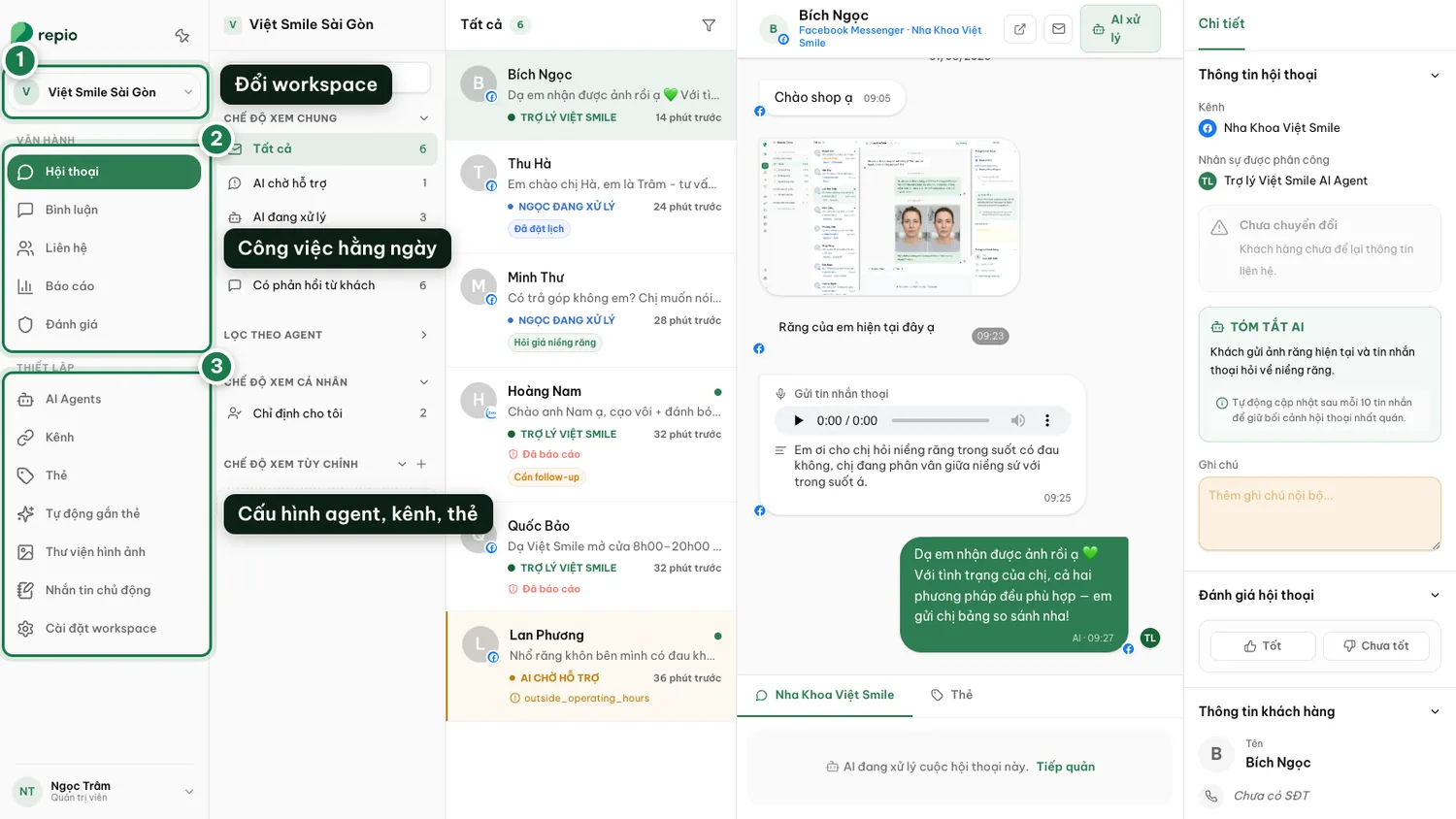
All of Repio hangs off one left-hand sidebar, split into two groups: daily operations, and system setup.
On this page1/3 · The sidebar
The left rail normally collapses to a strip of icons. Hover to expand it, or click “Pin menu” to keep it open.
Workspace switcher
Jump between workspaces, and between organizations if you belong to more than one.
The Operations group
Daily work: Conversations, Comments, Contacts, Reports, Ratings.
The Setup group
Configuration: AI Agents, Channels, Tags, Auto-tagging, Media library, Proactive messaging.
Your account
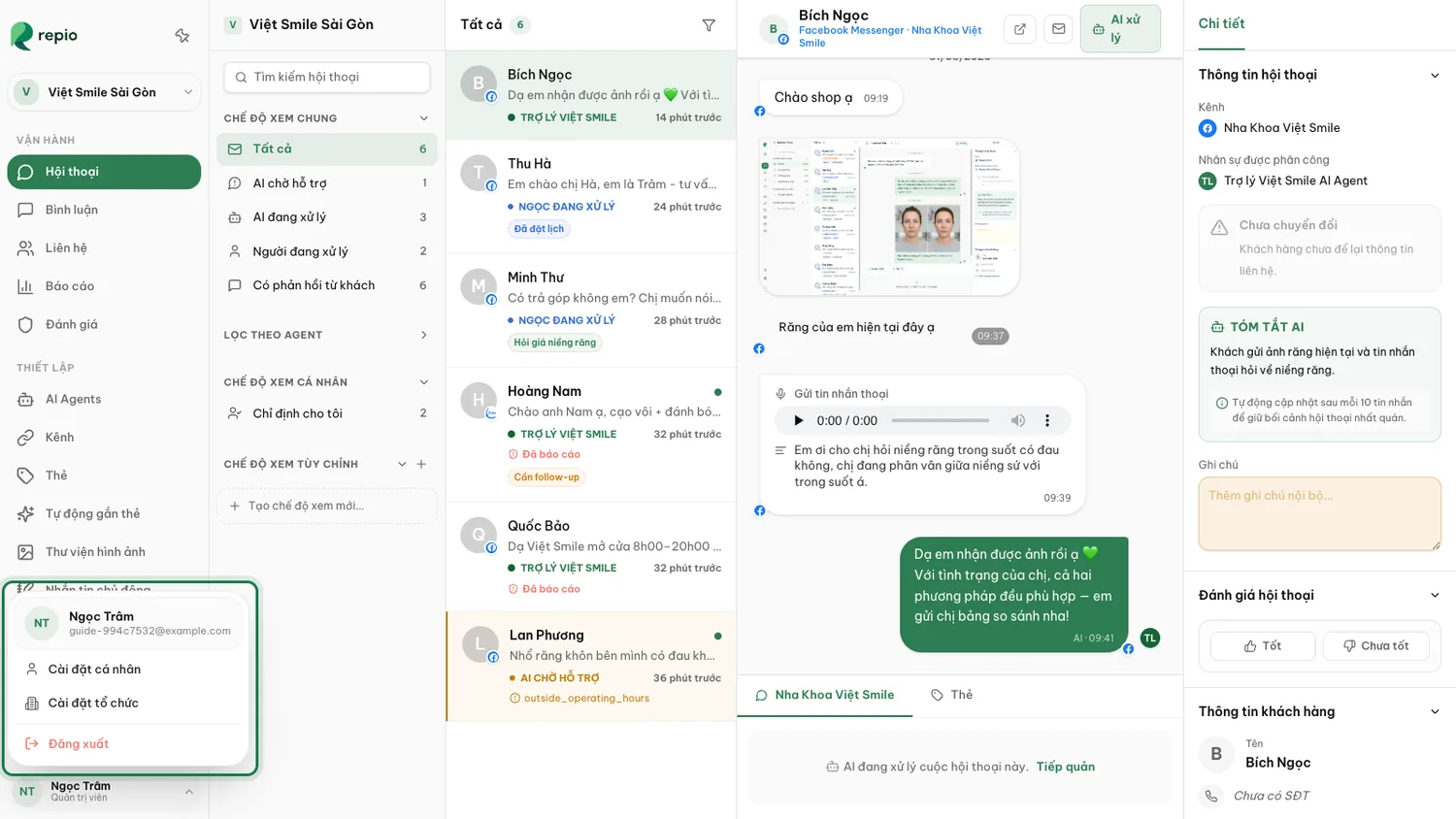
Click your name and role at the bottom to open the menu. It holds three things: Personal settings, Organization settings, and Sign out.
Tip: Everyone sees only what their role allows. Support staff do not see the Setup group.
- Personal settings: your own name, avatar and password.
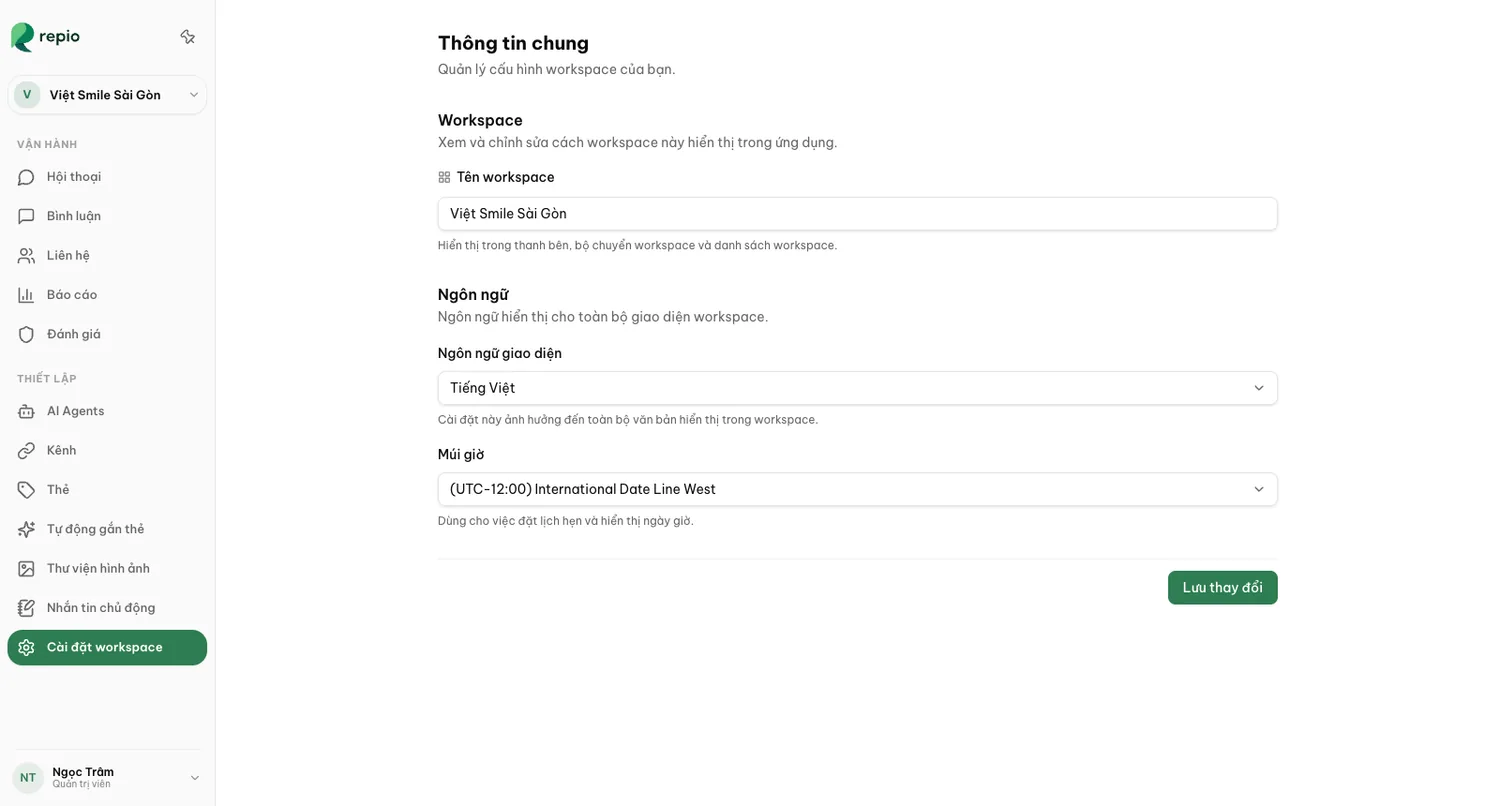
- Workspace settings: that workspace’s name, interface language and timezone.
- Organization settings: business details and the workspace list.
- Organization settings also holds the Members tab, for inviting people and setting permissions.
- And the Usage tab, for tracking your AI message quota.
Tip: Only admins can open Organization settings. Support staff only see Personal settings.
Interface language and timezone are set per workspace, under Workspace settings → General.
The timezone drives message timestamps, the figures in reports, and the AI’s operating-hours schedule. Get it right on day one.